Family meal planner: plan the week, ingredients on the list
“What's for dinner?” is the question that comes every evening. A weekly meal plan answers it once a week, and the shopping almost writes itself.
Plan the week
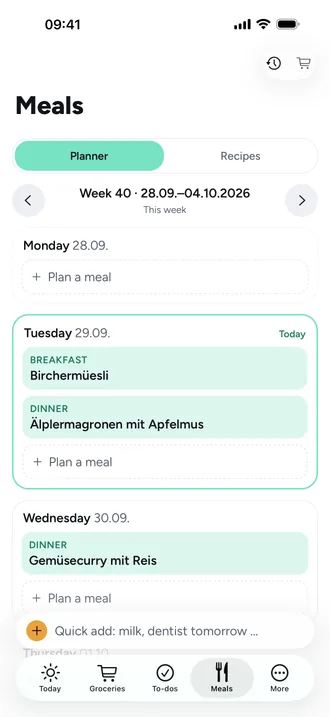
In the meal plan you add breakfast, lunch, dinner or a snack for each day, as a recipe or free text like “leftovers” or “dinner at Grandma's”. For recipes you set the servings, in half steps.
Import recipes from a link
Share a recipe from your browser to Beeside or paste the link. Beeside reads the title, ingredients and steps, you check the draft and save. This works with most large recipe sites.
Ingredients on the grocery list
- Pick the days, and Beeside scales each recipe to the planned servings.
- Identical ingredients are added up.
- Untick what you already have and send the rest to the store you choose.
Frequently asked questions
Which sites can I import recipes from?
Most recipe sites that publish their recipe in a machine-readable way. If Beeside only finds a title and image, you add ingredients and steps yourself.
Does Beeside scale the amounts?
Yes. Each recipe is scaled to the planned servings and identical ingredients are added up.
Can I plan without a recipe?
Yes, with free text like “leftovers” or “order pizza”.