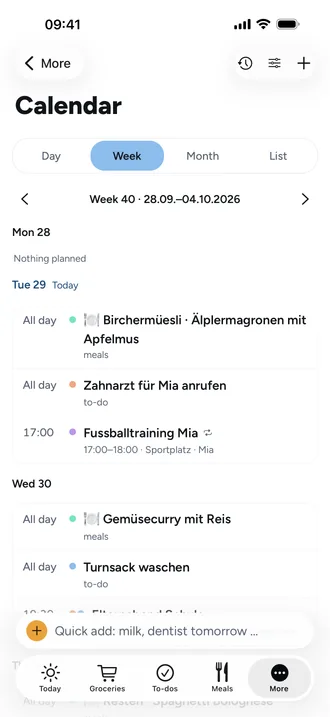
Events for several people, coloured by person
- Open Calendar and tap the plus at the top right: New event.
- Enter a Title and choose the Date and Start, or All day.
- Under For whom, choose the people. If you choose nobody, the event is for everyone.
- Under Reminder, choose when Beeside reminds you, for example 1 hour before.
- If needed, Repeat: daily, weekly on chosen days, monthly or yearly.
The event shows the colours of its people, up to three dots. You set each person's colour in their profile under More › Settings › Family.
Good to know
- Only the chosen people get a reminder; with nobody chosen, everyone does. A private event is only seen by, and only reminds, the person who added it.
- In a series, changes apply to all events. Change only this event changes just one.
- When you delete from a series, Beeside asks: only this event, this and all following, or all.
- Views: Day, Week, Month and List. Beeside remembers your last choice.
- Under the sliders icon, Calendar settings, you show or hide birthdays, occasions, due to-dos and the meal plan.