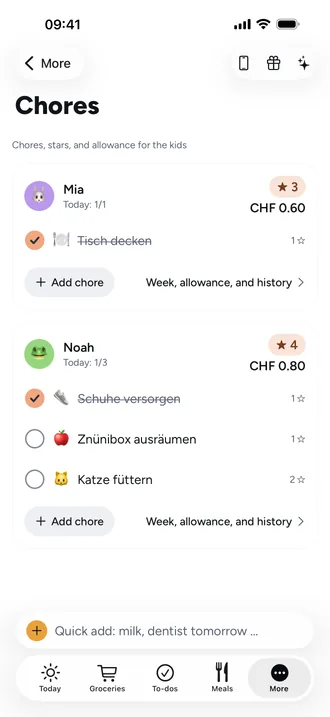
Add a chore: who, how often, how many stars
Chores are for kids. If there's no child in your family yet, add one first under Settings › Family. Beeside then suggests chores that fit their age.
- Open Chores. Each child has their own card.
- On the child's card, tap Add chore. The top of the form says “For Mia”: the child comes from the card.
- Under What needs to be done? enter a name, for example “Set the table”, and pick an Emoji.
- Set the Stars with minus and plus: 0 to 20, the default is 1.
- Under When choose Daily, Specific days, Monthly or Once. With “Specific days” you tap the individual days.
- Tap Add chore.
Good to know
- Once stays open until it's done.
- Monthly falls on the day of the start date. In shorter months it moves to the last day.
- 0 stars is meant for chores that only earn allowance.
- If you change stars or the amount later, chores already done keep their old value.
- Existing chores save as you edit. You can delete one in the same sheet with Delete chore, and undo it right after.